
Scale the Workflow, Not the Generic Message

Reach One Creator or a Qualified List
Send a careful one-to-one message or prepare bulk outreach for a qualified list. Work directly from creators your team has already reviewed in search, the Creator Library, or a campaign.

Personalize Before You Send
Use templates, creator variables, AI drafting, translation, and personalized openings without giving up control. Preview the resolved message, links, and language before anything is sent.
_edited.png)
Keep Replies and Next Steps Visible
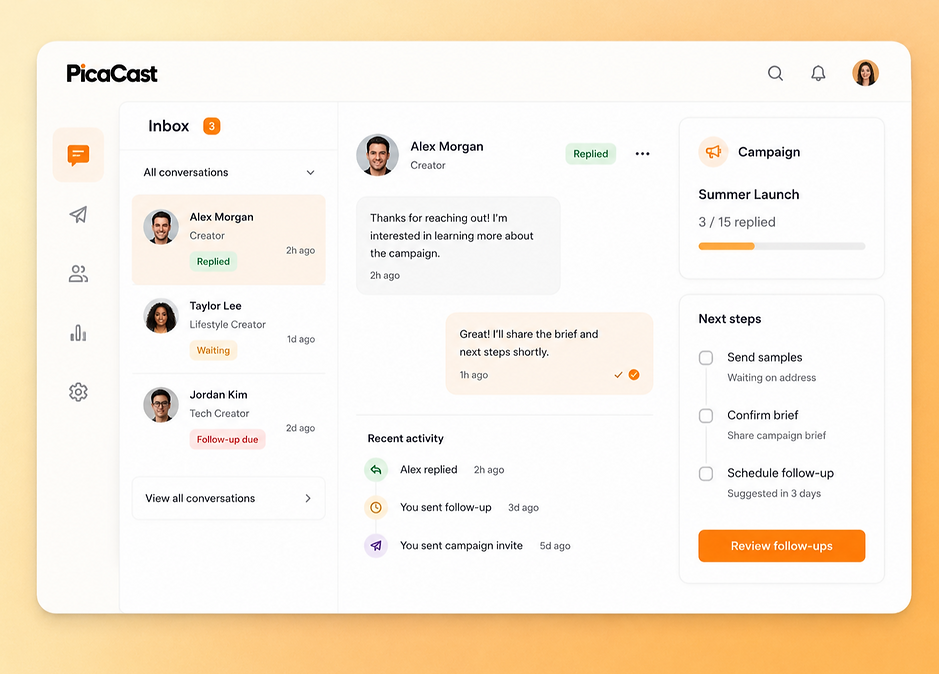
Keep replies, follow-up status, and campaign context in the same workspace. See who has replied, what needs attention, and which creators are ready to move forward.
How to Manage Creator Outreach in PicaCast
Step 1 - Connect a Mailbox and Choose Creators
Connect the mailbox your team uses, then select one creator or a reviewed list from Discovery, the Creator CRM, or a campaign. Check contact availability before outreach.
Step 2 - Draft, Personalize, and Review
Choose a template or create a new message. Add creator variables, personalize the opening, and use AI drafting or translation where useful. Preview every resolved detail before sending.
Step 3 - Send, Track Replies, and Update Status
Send within the limits of the connected mailbox and your PicaCast plan. Manage replies and follow-up status, then move interested creators into the right campaign stage.
