
Turn scattered creator records into a relationship system
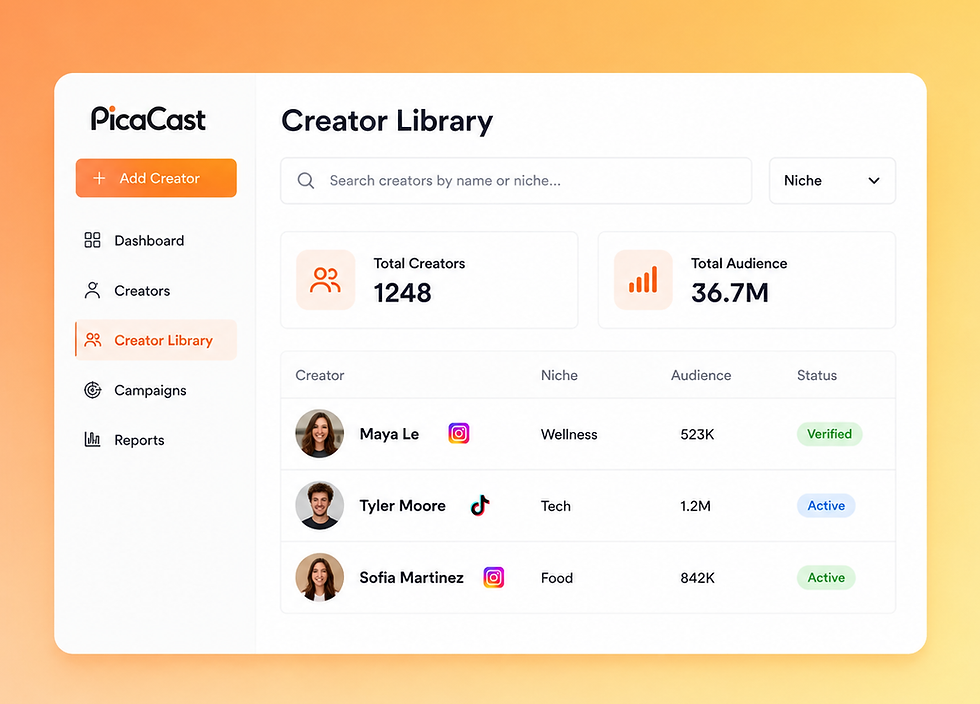
Build a creator library
you can reuse
Save promising creators directly from discovery or import existing records into one searchable library. Keep profiles you have selected, contacted, worked with, or want to revisit. Instead of beginning each campaign with an empty sheet, start with a creator network your brand or agency has already evaluated.

Organize every creator by what matters now
Use tags and filters to group creators by market, niche, client, content style, audience, or another working category. Update creator status as the relationship changes so the library shows who is new, under review, contacted, active, paused, or ready for another campaign—using the statuses configured in your workflow.

Keep outreach and campaign context attached
See the relationship around the profile, not just the profile itself. Keep relevant notes, outreach context, replies, campaign relationships, collaboration status, and past activity connected to the creator record. Your team can understand what has already happened before contacting the creator again or adding them to a new campaign.
How to build your creator CRM in PicaCast
Step 1 — Add the creators you already know
Save creators from the AI Influencer Database or import records from your existing workflow. Preserve the information needed to recognize, evaluate, and work with each creator rather than maintaining separate lists for every campaign.
Step 2 — Add structure your team can follow
Apply consistent tags, filters, notes, and creator statuses. Keep the record current as a creator moves from possible fit to outreach, negotiation, collaboration, completion, or future opportunity.
Step 3 — Put the relationship context to work
Use the library to select creators for a new campaign, continue a conversation in the Influencer Outreach Tool, or review previous campaign context before making the next decision. Export creator records when your process requires an external copy.
